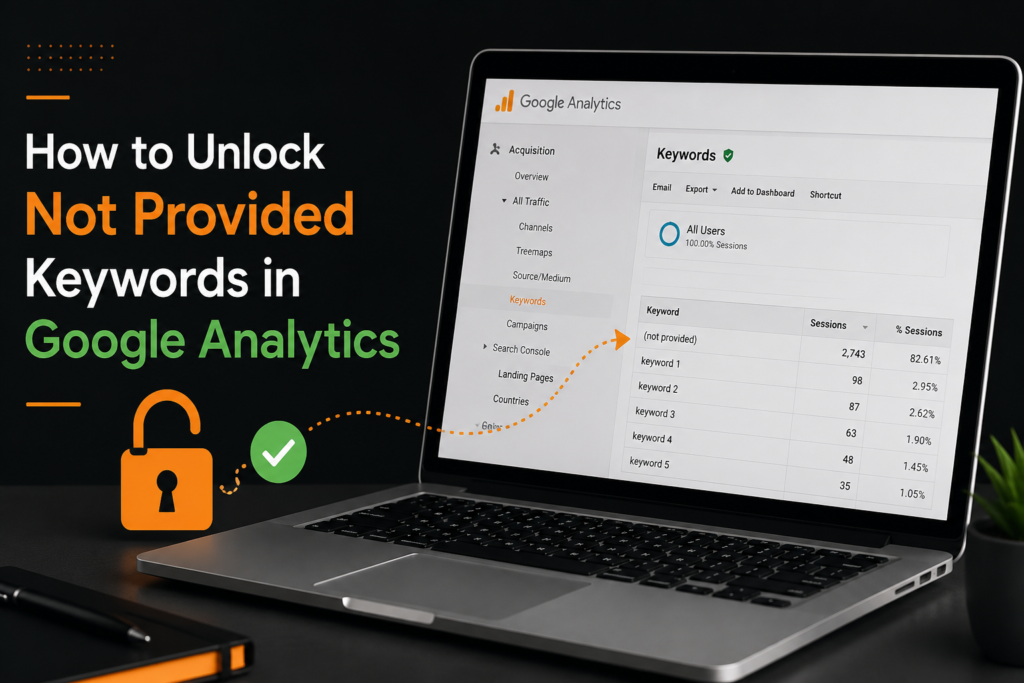
Do you know how to unlock not provided keywords in Google Analytics? Let’s me explain! When you log into your analytics dashboard hoping to see which specific search terms brought users to your site, you are often met with a sea of “not provided” data, obscuring up to 99% of your organic search traffic. This is not just a minor inconvenience; it is a fundamental challenge to modern SEO strategy. The good news is that while you cannot fully reverse Google’s encryption, you can implement a robust strategy to How to Unlock Not Provided Keywords in Google Analytics and reclaim visibility into your audience’s true search behavior.
The solution lies not in fighting the encryption, but in using smarter tools and data interpretation to infer what users are searching for. By leveraging the powerful combination of Google Search Console (GSC), Google Analytics 4 (GA4), and strategic landing page analysis, you can start to fill in the blanks. This guide will walk you through the exact steps to uncover those hidden queries, allowing you to optimize your content for better rankings and higher conversion rates. If you are ready to stop guessing and start using real data to drive your traffic, this is your roadmap.
What Are Not Provided Keywords and Why Do They Matter?
In the world of SEO, keywords are the currency of insight. A “not provided” keyword is a search term that a user typed into Google to find your website, but the analytics platform hides the specific phrase for privacy reasons. Instead of seeing “best SEO tools,” you simply see “not provided.”
This matters because these keywords are the direct expression of user intent. When you know exactly what people are searching for, you can:
-
Create content that answers their specific questions.
-
Optimize your product pages to match their needs.
-
Identify gaps in your content strategy.
When Google hides this data, it is akin to a store owner knowing people are walking in but having no idea what they are asking the sales staff for. Without this information, your SEO efforts can become a shot in the dark. By learning How to Unlock Not Provided Keywords in Google Analytics, you are essentially restoring the dialogue between your customer and your content, allowing you to make data-driven decisions that significantly improve your organic search performance.
Why Google Hides Organic Search Keywords
To solve a problem, one must understand its origin. In 2011, Google announced it would begin encrypting search data for logged-in users. In 2013, this encryption extended to all users, effectively killing the availability of specific keyword data in Google Analytics.
The primary reason for this shift is user privacy. Google argued that securing search queries was essential to prevent data interception and to protect user privacy from third-party surveillance. This move was also a strategic business decision. By hiding the data, Google made it harder for marketers to “game” the system by identifying high-volume keywords and aggressively targeting them. Instead, it forced the industry to focus on the quality of the content and the user experience, which aligned with Google’s “mobile-first” and “user-first” update strategies.
While this change was frustrating for SEOs, it was a necessary evolution for a safer internet. However, it created a massive headache for data analysts, prompting the search for methods to unlock not provided keywords in Google Analytics through alternative data sources.
How Not Provided Keywords Affect SEO Performance Analysis
The impact of “not provided” data on SEO analysis is profound. When you are missing 90% to 99% of your keyword data, your ability to measure performance is severely crippled.
1. Distorted Performance Metrics:
Without specific keyword data, you cannot accurately attribute a surge in traffic to a specific content update. For instance, if your traffic spikes on a Tuesday, you might assume it is due to a new blog post. However, the traffic could be coming from a high-volume, non-branded keyword you haven’t targeted yet. This leads to “blind” optimization, where you are guessing which strategies are working.
2. Inability to Identify Cannibalization:
Keyword cannibalization occurs when two or more pages on your site compete for the same search terms. Without keyword data, detecting this is nearly impossible. You might see two pages losing rankings but have no idea they are fighting over the same search intent.
3. Wasted Budget on Low-ROI Keywords:
If you are bidding on paid search terms, you need organic data to support your strategy. Knowing which organic keywords convert helps you refine your PPC campaigns. When “not provided” hides these winners, you might be bidding on keywords that already have high organic visibility, wasting your budget.
Can You Still Unlock Not Provided Keywords in Google Analytics?
The short answer is yes, but not in the traditional sense. You cannot force Google Analytics to display the specific query strings that users typed into the search bar. The encryption is robust, and Google is unlikely to reverse it.
However, you can unlock the intent behind those keywords. This is not about getting the literal text string; it is about getting the data that allows you to perform the same analysis. By integrating Google Search Console with your analytics and analyzing user behavior on specific landing pages, you can infer the keywords that are driving traffic.
For example, if you have a page optimized for “how to bake a cake” and it receives significant traffic, you can safely assume the “not provided” data for that page is largely composed of baking-related queries. By analyzing the behavior of users on that page, you can refine your strategy to target similar long-tail variations.
Connecting Google Analytics and Google Search Console for Better Insights
The most critical step is the integration of your GA4 property with Google Search Console (GSC). This is the official, free, and most effective way to bypass the “not provided” wall.
Google Search Console is a service provided by Google that tracks your site’s search performance, including the specific queries that result in impressions and clicks. Unlike Analytics, GSC does not hide the queries.
Step-by-Step Guide to Connection:
-
Access Google Analytics 4: Log in to your GA4 property.
-
Go to Admin: Click the gear icon at the bottom left.
-
Product Links: Under the property column, select “Product Links” and then “Search Console Links.”
-
Add Link: Click the “Link” button.
-
Select Account: Choose the Search Console property that corresponds to your website.
-
Save: Click “Submit” or “Next” until the link is established.
Once connected, you can access a powerful report in GA4.
The Report Path: Navigate to Reports > Acquisition > Traffic Acquisition and select “Google Organic Search” from the session source drill-down. Then, click on the “Search Console” tab.
This report shows you the Queries that are driving traffic to your site. While GA4 does not show the query data per session, it aggregates it for the property, allowing you to see the top search terms that are bringing users to your site.
Using Landing Page Data to Identify Hidden Search Queries
When you look at the “not provided” data in GA4, you see a big block of numbers. However, you can extract valuable insights by looking at the Landing Pages report.
Imagine you sell hiking gear. You see that your landing page for “Hiking Boots” has a high bounce rate but a long average session duration. You can assume that visitors are finding your page by searching for specific types of boots (e.g., “waterproof hiking boots,” “winter hiking boots”). If you were to optimize that page for these specific long-tail keywords, you could capture more qualified traffic.
Actionable Steps:
-
Identify your top-performing landing pages in GA4.
-
Analyze the user flow for those pages.
-
Use GSC to view the top queries for those specific URLs.
-
Look for patterns: are users spending time on the page? Are they converting?
-
If a page has high traffic but low conversion, the hidden keywords might be informational rather than transactional (e.g., “how to choose hiking boots”).
How to Recover Not Provided Keywords with Google Search Console
You cannot “recover” the data from 2013, but you can recover the current data that matters for your strategy. The key is to treat GSC as your primary keyword research tool.
Here is how to use GSC to recover the data you need:
Access the Performance Report
Log into GSC and select your property. Click on the “Performance” tab on the left.
Analyze Queries
This report lists the specific search queries that are generating impressions and clicks for your site.
Filter by Pages
You can filter this data by specific landing pages. This tells you exactly which queries are sending traffic to your new blog posts or product pages.
Use Regex Filters
For advanced users, GSC allows Regex filtering. For example, you can filter for queries that contain “vs” or “review” to find comparison keywords, which are often high-intent and high-converting.
Export and Analyze
Export this data into a spreadsheet. Now, you have a list of keywords that are actually driving traffic to your site. The “not provided” data in your Analytics may say “unknown,” but the GSC data tells you exactly what is happening.
Advanced Techniques to Reveal User Search Intent
Revealing intent goes beyond looking at keywords. It involves looking at the context of the user.
Technique 1: The “Top vs. Bottom” Funnel Analysis
If a user searches for “why does my dog lick his paws,” they are in the awareness stage (Top of Funnel). If they search for “best paw balm for dogs,” they are in the decision stage (Bottom of Funnel). By mapping your landing pages to these stages, you can mentally fill in the “not provided” blanks. If your “paw balm” page is getting a lot of “not provided” traffic, you can be confident that users are searching for purchase-oriented terms.
Technique 2: Time-on-Page Correlation
In GA4, check the Engagement Time for your landing pages. If a page has a high average engagement time, the hidden keywords are likely informational (long-form content). If a page has a low engagement time but a high conversion rate, the keywords are likely transactional (users know what they want and are buying immediately).
Best SEO Tools for Uncovering Hidden Organic Keywords
While GSC is free, paid tools can offer a deeper layer of insight to help with to unlock not provided keywords in Google Analytics.
Semrush and Ahrefs:
These are the industry standards for organic research. They pull data from millions of keywords and allow you to see which queries your competitors are ranking for. If you see a competitor ranking for a term you are not, you can assume some of your “not provided” traffic is looking for that term.
Rankzol’s SERP Features Tool:
This is invaluable for understanding the visual landscape of the search results. If you see that your competitor is ranking for a keyword with a Featured Snippet, you know that capturing that snippet is the key to increasing your click-through rate (CTR). This helps you prioritize which keywords to target.
Keyword Revealer:
This tool allows you to generate a massive list of potential keywords based on a seed term. By cross-referencing this list with the top queries in your GSC, you can identify opportunities you are currently missing.
AnswerThePublic:
This tool visualizes the questions people are asking around a specific topic. These question-based keywords are excellent for driving traffic to your blog posts and are often hidden in the “not provided” data.
How to Map Keywords to High-Traffic Landing Pages
If you are running an SEO agency or a digital marketing service, this is where the rubber meets the road. You cannot just collect data; you must organize it.
The Mapping Process:
Crawl Your Site: Use a tool to crawl your site and identify all existing landing pages.
Extract GSC Queries: Download the top 1000 queries from GSC.
Group by Theme: Group these queries into thematic buckets (e.g., “Product A,” “Service B,” “Informational Guides”).
Create a URL Map: For each query, assign the most relevant URL on your site.
Identify Gaps: If you have a group of queries with high impressions but no corresponding URL, you have identified a content gap.
By mapping keywords to pages, you directly address the “not provided” issue. You are telling Google exactly what your pages are about, which helps them rank for specific terms, reducing the ambiguity in your analytics.
Finding High-Converting Keywords Hidden Behind Not Provided Data
The ultimate goal of SEO is not just traffic; it is revenue. So, you must look at conversion data.
The “Conversion” Filter Method:
In GA4, navigate to the Explore tab.
-
Select the “Path Exploration” template.
-
Set the Event Name to “session_start.”
-
Use the “Next Action” view to see where users went next.
-
The Key: Filter this report to include only users who completed a specific goal (e.g., “purchase” or “lead form submission”).
Now, look at the landing pages associated with these conversions. These are your high-value pages. Next, go to GSC and look at the top queries for these specific pages. These queries are your high-converting hidden keywords.
If you optimize these pages to rank higher for these specific terms, you are directly targeting your most profitable audience. This is the difference between vanity traffic and revenue-generating traffic.
Using GA4 to Analyze Organic Traffic More Effectively
GA4 is not just about collecting data; it is about interpreting it differently than Universal Analytics did. For unlocking hidden keyword intent, GA4’s “Engagement” metrics are superior to “Bounce Rate.”
Use GA4 to Analyze “Engaged Sessions”:
An “engaged session” is a session that lasts longer than 10 seconds, has a conversion event, or has 2 or more pageviews.
-
High Engaged Sessions + High Traffic = Content Relevance: This implies that the hidden keywords driving traffic are highly relevant to the page content.
-
Low Engaged Sessions + High Traffic = Mismatch: This implies that the hidden keywords are misleading users. They might be searching for something you do not have.
By analyzing this data, you can refine your meta titles and descriptions to better match user intent, effectively “unlocking” the reason users are clicking on your site.
Common Mistakes When Analyzing Not Provided Keywords
When trying to navigate this complex data, many SEOs fall into common traps.
Mistake 1: Only looking at high-volume keywords.
Often, long-tail keywords (4+ words) have lower volume but much higher conversion rates. The “not provided” data hides these gems.
Mistake 2: Ignoring “Impressions.”
In GSC, high impressions with low clicks mean your page is showing up but not enticing users to click. This means your title tag needs optimization, not your content.
Mistake 3: Relying on GA4 for 100% Accuracy.
GA4 uses sampling for large data sets. Always cross-reference with GSC for the most accurate query data.
Mistake 4: Not segmenting by device.
Mobile users and desktop users have different search intents. A query on mobile might be “best SEO agency near me,” while desktop is “SEO agency pricing.” Always analyze data through a device lens.
AI-Powered Methods to Discover Hidden Keyword Opportunities
We are entering a new era of SEO where AI is becoming a cornerstone of analysis. The Future of SEO is undeniably intertwined with artificial intelligence and machine learning, which can predict user behavior and identify trends before they are fully visible in analytics.
How to use AI for this problem:
-
Predictive Keyword Clustering: Instead of manually grouping keywords, AI tools can cluster thousands of queries by search intent. This helps you understand the semantic relationships between your content and the hidden queries.
-
Generative Content Ideas: Feed your GSC query data into a Large Language Model (LLM) like ChatGPT or Claude. Ask it to identify “user intent” based on the phrasing of the queries. The AI can decipher the subtle differences between queries that have high CTR vs. high bounce rates.
-
Topic Modeling: AI can analyze your top-performing pages and generate a “topic cloud.” This cloud represents what Google thinks your content is about. By comparing this cloud to your target keywords, you can optimize your content to “speak the same language” as the hidden queries.
The Future of SEO relies on these AI-driven insights to automate the process of connecting “not provided” data to actionable content strategies, allowing you to scale your efforts like never before.
Actionable Strategies to Turn Hidden Keywords into SEO Growth
Now that you have the data, how do you turn it into growth? Here is a checklist to implement immediately.
Strategy 1: Optimize Existing Content
Take the list of top-performing queries from GSC for your most popular pages. Add these terms naturally into the H2s and H3s of your content. This signals to Google that your page is the best answer for those specific queries.
Strategy 2: Create Content Clusters
If you discover that users are searching for “SEO for SaaS” and “SEO for B2B,” create a pillar page for “SEO for Business” and link to two cluster pages dedicated to the specific niches. This structure helps Google understand your site authority on the topic, making your content more likely to rank for related “not provided” searches.
Strategy 3: Update Meta Data
The queries in GSC often have lower CTRs than expected. If you see a keyword with high impressions but low clicks, the user is likely not convinced by your title. Update your Title Tag to include the high-volume “not provided” keyword to see an immediate spike in traffic.
Strategy 4: Focus on “Zero-Click” Opportunities
As the Future of SEO moves toward AI Overviews and Featured Snippets, some of your “not provided” data comes from users who get their answer without clicking. To counter this, optimize your content to appear in snippets, but also use “People Also Ask” data to answer follow-up questions, keeping the user on your site longer.
Key Takeaways Summary
Let’s recap the essential elements:
-
Accept the Encryption: You will never see the exact data in Google Analytics again. Shift your focus to intent and impressions.
-
Integrate GSC: Linking Google Search Console to GA4 is the single most effective way to recover keyword data.
-
Analyze Landing Pages: Your landing pages are the windows into user intent. High engagement on a page reveals high-quality hidden keywords.
-
Leverage AI and Tools: Use AI for topic modeling and tools like Rankzol to analyze SERP features and competition.
-
Focus on Conversion: Do not chase traffic; chase conversions. Identify the hidden keywords that lead to sales and optimize for those.
Expert Quote
“The ‘not provided’ data is not a wall, it is a mirror. It reflects the quality of your content. If you are doing your job correctly, your landing page data and Search Console reports will tell you exactly what you need to know to improve your rankings.” — Rand Fishkin, Co-founder of SparkToro.
Frequently Asked Questions (FAQs)
Can I really unlock the exact “not provided” keywords?
No, Google encrypts the specific search strings for privacy reasons. You cannot see the exact phrase in Google Analytics. However, you can use Google Search Console to see the list of queries driving traffic to your site, which effectively unlocks the data you need for SEO.
What is the best free tool to recover “not provided” keywords?
Google Search Console is the best free tool. It provides a comprehensive list of search queries (keywords) that resulted in impressions and clicks for your website. Connecting it to Google Analytics allows you to analyze this data in context.
Why did Google hide organic keywords in the first place?
Google hid organic keywords to protect user privacy and prevent third parties from intercepting search data. It was a security measure introduced in 2011 and fully implemented by 2013.
How does landing page data help with “not provided” keywords?
If you know a specific landing page receives a lot of traffic, you can infer the “not provided” data is related to the topics of that page. By using GSC to see the top queries for that specific URL, you can determine exactly which keywords are sending users to that page.
Is GA4 better than Universal Analytics for analyzing organic search?
Yes, GA4 is better for analyzing organic traffic because it focuses on user engagement and events rather than simple pageviews. This helps you understand if the hidden keywords are leading to valuable interactions or just “bounces,” providing better insight into keyword intent.
How do I find high-converting hidden keywords?
To find high-converting hidden keywords, identify your top-performing landing pages that lead to sales or sign-ups (in GA4). Then, look at the Search Console query report for those specific pages. The queries listed are your high-converting hidden keywords.
What is “Low Hanging Fruit” in SEO?
Low Hanging Fruit Keywords involves identifying keywords that have high search volume but low keyword difficulty (KD). These are terms that your competitors are ranking for, but you can easily overtake them with slightly better content or optimization.
Does AI help in finding missing keywords?
Yes, AI is increasingly useful for semantic analysis. AI can process thousands of queries from GSC to identify patterns, cluster topics, and predict which long-tail keywords might rank well.
Why does Google Search Console not show all my queries?
Google Search Console shows “Top Queries” based on the data they have. For very low-volume queries, Google may aggregate them under “Other” to maintain data security and reduce noise. However, the top queries usually account for the majority of your traffic.
What is the easiest way to start unlocking “not provided” data today?
The easiest step is to log into Google Search Console, verify your property, and look at the “Performance” report. This will immediately show you the top 1000 search terms for your site, providing a clear picture of your organic search traffic today.