Running a small business in 2026 means competing for attention in an increasingly crowded digital landscape. With over 8.5 billion Google searches happening every day, appearing on the first page isn’t just nice to have—it’s essential for survival.
But here’s the good news: you don’t need an enterprise budget to compete with the big players. With the right SEO strategy, small businesses can outrank larger competitors and capture valuable organic traffic.
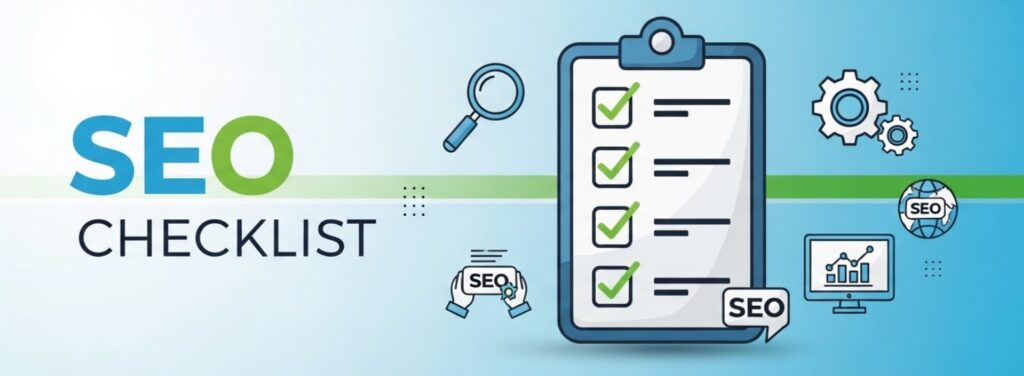
This comprehensive small business SEO checklist covers everything you need to know—from technical foundations to content optimization—to improve your search rankings and grow your business in 2026.
Why SEO Matters for Small Businesses in 2026

Before diving into the checklist, let’s understand why SEO deserves your attention:
- 68% of online experiences begin with a search engine
- 53% of website traffic comes from organic search
- SEO leads have a 14.6% close rate, compared to just 1.7% for outbound leads
- 75% of users never scroll past the first page of search results
For small businesses with limited marketing budgets, SEO offers the best return on investment of any digital marketing channel. Unlike paid advertising, which stops generating traffic the moment you stop paying, SEO continues delivering results month after month.
Looking for professional help? Check out our performance-based SEO services designed specifically for businesses like yours.
Part 1: Technical SEO Foundations
-
Ensure Your Website is Mobile-Friendly
Google uses mobile-first indexing, meaning it primarily uses the mobile version of your website for ranking and indexing. A mobile-unfriendly site will struggle to rank, regardless of how good your content is.
Action Steps:
- Test your site with Google’s Mobile-Friendly Test
- Ensure tap targets are at least 48×48 pixels
- Use readable font sizes (minimum 16px)
- Eliminate horizontal scrolling
-
Improve Page Loading Speed
Page speed is a confirmed Google ranking factor. Slow websites frustrate users and hurt your rankings. According to Google, 53% of mobile users abandon sites that take longer than 3 seconds to load.
Action Steps:
- Test your speed with PageSpeed Insights
- Compress images using WebP format
- Enable browser caching
- Minify CSS, JavaScript, and HTML
- Use a Content Delivery Network (CDN)
-
Implement SSL Security (HTTPS)
Google has confirmed HTTPS as a ranking signal. More importantly, browsers now display “Not Secure” warnings for HTTP sites, which destroys user trust.
Action Steps:
- Install an SSL certificate (many hosts offer free certificates via Let’s Encrypt)
- Ensure all pages load via HTTPS
- Update internal links to use HTTPS URLs
- Set up 301 redirects from HTTP to HTTPS
-
Create and Submit an XML Sitemap
An XML sitemap helps search engines discover and understand your website’s structure. It’s like handing Google a roadmap to all your important pages.
Action Steps:
- Generate a sitemap using your CMS or a plugin like Yoast SEO
- Submit your sitemap to Google Search Console
- Submit to Bing Webmaster Tools as well
- Update your sitemap whenever you add new content
-
Optimize Your Robots.txt File
Your robots.txt file tells search engines which pages to crawl and which to ignore. A misconfigured robots.txt can accidentally block important pages from being indexed.
Action Steps:
- Check your robots.txt at yoursite.com/robots.txt
- Ensure important pages aren’t blocked
- Block admin areas and duplicate content
- Include your sitemap location
-
Fix Crawl Errors and Broken Links
Crawl errors prevent search engines from accessing your content. Broken links create poor user experiences and waste your crawl budget.
Action Steps:
- Check Google Search Console for crawl errors
- Use tools like Screaming Frog to find broken links
- Fix or redirect broken pages with 301 redirects
- Monitor regularly (monthly at minimum)
Part 2: On-Page SEO Optimization
-
Conduct Keyword Research
Effective SEO starts with understanding what your potential customers are searching for. Keyword research reveals the exact phrases people use to find businesses like yours.
Action Steps:
- Use free tools like Google Keyword Planner or Ubersuggest
- Focus on long-tail keywords with buyer intent
- Analyse competitor keywords
- Create a keyword map assigning primary keywords to each page
Pro Tip: Small businesses should target long-tail keywords (3+ words) with lower competition. Instead of targeting “SEO services,” target “affordable SEO services for small businesses.”
-
Optimize Title Tags
Title tags are one of the most important on-page ranking factors. They appear in search results and browser tabs, influencing both rankings and click-through rates.
Best Practices:
- Keep titles under 60 characters
- Place your primary keyword near the beginning
- Make titles compelling to encourage clicks
- Include your brand name for recognition
-
Write Compelling Meta Descriptions
While meta descriptions don’t directly impact rankings, they significantly affect click-through rates. A well-written meta description can be the difference between a click and a scroll-past.
Best Practices:
- Keep descriptions under 155 characters
- Include your target keyword naturally
- Add a clear call-to-action
- Accurately describe the page content
-
Use Header Tags Properly (H1, H2, H3)
Header tags create a content hierarchy that helps both users and search engines understand your page structure.
Best Practices:
- Use only one H1 tag per page (usually your title)
- Use H2 tags for main sections
- Use H3-H6 for subsections
- Include keywords naturally in headers
-
Optimize URL Structure
Clean, descriptive URLs help search engines understand page content and improve user experience.
Best Practices:
- Keep URLs short and readable
- Include your target keyword
- Use hyphens to separate words
- Avoid unnecessary parameters and numbers
-
Add Alt Text to All Images
Alt text describes images to search engines and visually impaired users. It’s also an opportunity to include relevant keywords.
Best Practices:
- Describe the image accurately
- Include keywords where natural
- Keep alt text under 125 characters
- Don’t start with “image of” or “picture of”
-
Implement Internal Linking
Internal links help search engines discover content and distribute PageRank throughout your site. They also keep users engaged longer.
Best Practices:
- Link to relevant pages within your content
- Use descriptive anchor text
- Create content clusters around main topics
- Aim for 3-5 internal links per 1,000 words
Part 3: Content Strategy
-
Create High-Quality, Original Content
Content remains king in 2026. Google’s Helpful Content Update prioritizes content written for humans that provides genuine value.
What Makes Content Helpful:
- Answers the search query thoroughly
- Provides unique insights or expertise
- Is well-researched and accurate
- Includes practical, actionable advice
- Better serves readers than existing content
-
Demonstrate E-E-A-T
Google’s E-E-A-T guidelines (Experience, Expertise, Authoritativeness, Trustworthiness) are crucial for ranking, especially for YMYL (Your Money Your Life) topics.
How to Demonstrate E-E-A-T:
- Experience: Share first-hand experiences and case studies
- Expertise: Highlight qualifications and credentials
- Authoritativeness: Build quality backlinks and citations
- Trustworthiness: Display reviews, testimonials, and contact information
-
Maintain a Consistent Publishing Schedule
Fresh content signals to search engines that your website is active and relevant. A consistent publishing schedule builds topical authority over time.
Recommendations:
- Aim for at least 2-4 quality blog posts per month
- Create an editorial calendar
- Update and refresh old content regularly
- Focus on quality over quantity
-
Optimize for Featured Snippets
Featured snippets appear above traditional search results, earning the coveted position zero. Small businesses can capture significant traffic by targeting these.
How to Win Featured Snippets:
- Answer questions directly and concisely
- Use structured formats (lists, tables, steps)
- Include the question in a header tag
- Provide comprehensive answers (40-60 words for paragraphs)
Part 4: Local SEO (For Physical Businesses)
-
Claim and Optimize Google Business Profile
For local businesses, Google Business Profile is non-negotiable. It’s often the first thing potential customers see when searching for your services.
Optimization Tips:
- Complete every field in your profile
- Choose accurate categories
- Add high-quality photos regularly
- Post updates and offers weekly
- Respond to all reviews promptly
-
Build Local Citations
Citations are mentions of your business name, address, and phone number (NAP) on other websites. Consistent citations build trust and improve local rankings.
Priority Citation Sources:
- Yelp
- Yellow Pages
- Industry-specific directories
- Chamber of Commerce
- Local business associations
-
Encourage and Manage Reviews
Reviews are a major local ranking factor and significantly influence consumer decisions. 87% of consumers read online reviews for local businesses.
Best Practices:
- Ask satisfied customers for reviews
- Make it easy with direct links to your review profiles
- Respond to all reviews (positive and negative)
- Never buy fake reviews (this can get you penalised)
Part 5: Off-Page SEO
-
Build Quality Backlinks
Backlinks remain one of Google’s top ranking factors. Focus on earning links from relevant, authoritative websites in your industry.
White-Hat Link Building Strategies:
- Create link-worthy content (research, infographics, guides)
- Guest posting on industry blogs
- HARO (Help A Reporter Out) responses
- Local partnerships and sponsorships
- Broken link building
-
Leverage Social Media
While social signals aren’t direct ranking factors, social media increases brand visibility and can lead to natural backlinks and brand searches.
Tips:
- Share your content across relevant platforms
- Engage with your community
- Use social media to amplify content reach
- Build relationships with industry influencers
Part 6: Measurement and Optimization
-
Set Up Google Search Console
Google Search Console is a free tool that provides invaluable insights into how Google sees your website.
Key Features to Monitor:
- Index coverage issues
- Search performance and keyword rankings
- Mobile usability problems
- Core Web Vitals status
- Manual actions or penalties
-
Install Google Analytics 4
Google Analytics 4 helps you understand how users find and interact with your website.
Key Metrics to Track:
- Organic traffic volume and trends
- Top-performing pages
- User behaviour (time on page, bounce rate)
- Conversion rates from organic traffic
- Geographic and demographic data
-
Monitor and Adjust Your Strategy
SEO isn’t a set it and forget it activity. Continuous monitoring and adjustment are essential for long-term success.
Monthly SEO Tasks:
- Review Search Console for issues
- Analyse keyword ranking changes
- Audit Core Web Vitals
- Update and refresh old content
- Monitor competitor movements
How Long Does SEO Take to Work?
One of the most common questions small business owners ask is “How long until I see results?” The honest answer: it depends.
Generally, you can expect:
- 0-3 months: Technical fixes and content optimization
- 3-6 months: Early ranking improvements for low-competition keywords
- 6-12 months: Significant ranking improvements and traffic growth
- 12+ months: Compound growth and authority building
The timeline varies based on your industry competition, starting point, and resources invested.
Common Small Business SEO Mistakes to Avoid
Before implementing this checklist, make sure you avoid these common pitfalls:
- Keyword stuffing: Natural keyword usage always beats forced repetition
- Ignoring mobile users: Mobile-first isn’t optional—it’s essential
- Neglecting local SEO: If you serve local customers, Google Business Profile is non-negotiable
- Buying links: This violates Google’s guidelines and can result in penalties
- Expecting overnight results: SEO is a marathon, not a sprint
Getting Started: Your First 30 Days
Feeling overwhelmed? Here’s a prioritised action plan for your first month:
Week 1: Technical Foundation
- Set up Google Search Console and Analytics
- Fix any critical crawl errors
- Ensure your site is mobile-friendly and secure (HTTPS)
Week 2: On-Page Basics
- Optimise title tags and meta descriptions for key pages
- Fix URL structure issues
- Add alt text to images
Week 3: Local SEO (if applicable)
- Claim and optimise Google Business Profile
- Ensure NAP consistency across the web
- Request reviews from satisfied customers
Week 4: Content Planning
- Complete keyword research
- Create an editorial calendar
- Publish your first optimised blog post
Conclusion: SEO Is an Investment in Your Business’s Future
Implementing this small business SEO checklist requires time and effort, but the long-term benefits make it worthwhile. Unlike paid advertising, SEO compounds over time—the work you do today continues paying dividends months and years later.
Remember, you don’t have to do everything at once. Start with the fundamentals, build momentum, and progressively tackle more advanced optimisations.
If implementing these strategies yourself feels overwhelming, consider partnering with an experienced SEO agency. At RankZol, we offer performance-based SEO services (https://rankzol.com/) specifically designed for small businesses—you only pay for results. Explore our SEO packages to find the right fit for your business to see where you currently stand.
Ready to take your small business to the first page? Start with step one and keep moving forward. Your future customers are searching for you right now.
FAQs for a Small Business SEO Checklist (2026)
1. How long does it take to see SEO results for a small business?
SEO is a long-term strategy. SEO is a marathon, not a sprint. Most businesses give up after a few months when they don’t see immediate results. Typically, small businesses can expect to see meaningful improvements within 3-6 months of consistent effort.
2. Do I need to be a technical expert to do SEO for my small business?
No! You don’t need to be a technical wizard to rank your website. In fact, On-Page SEO follows the 80/20 rule: 20% of the actions bring 80% of the results.
3. Why is local SEO important for small businesses?
When customers are ready to order flowers, make dinner reservations, or hire a contractor, they usually turn to Google to find a nearby and well-rated provider. If your business isn’t popping up in their local search results—no matter what your niche is—you’re missing out on a valuable audience segment that’s on the verge of converting.
4. Is HTTPS (SSL certificate) really necessary for SEO in 2026?
Absolutely. In 2026, SSL certificates aren’t optional. Google actively penalises non-secure sites. Most hosting providers offer free SSL—there’s no excuse.
5. What is the most important SEO ranking factor for small businesses?
While there are over 200 ranking factors, exceptional content that serves user intent is what really drives rankings. Forget about stuffing keywords—2026’s SEO is about understanding and matching search intent.
6. How important is mobile optimization for SEO?
It’s critical. With mobile-first indexing, your mobile site IS your site in Google’s eyes. Test every page using Google’s Mobile-Friendly Test tool.
7. What free tools can I use to monitor my SEO performance?
Decide which local SEO tools you’ll use to track performance and note benchmarks at the start of your campaign. Since most businesses want to rank well in Google, platforms such as Google Analytics and Google Search Console offer comprehensive tracking data.
8. Can I target the same keyword on multiple pages?
No, this is a common mistake. Match each keyword to a specific page. Never target the same keyword on multiple pages—this creates internal competition.
9. What are citations, and why do they matter for local SEO?
Citations are online references to your business typically included in a directory, resource page, or article. These listings feature your business name, address, and phone number—known in SEO terms as your NAP. Citations help search engines cross-reference the accuracy of your NAP and increase your digital footprint.
10. Why should I invest in SEO instead of just paid ads?
For small and midsize businesses, especially local ones, organic search traffic can make all the difference. Unlike paid ads, which stop the moment your budget runs out, organic visibility compounds over time. Good SEO improves your site’s discoverability, usability, and conversion rate.